 Registration Guide Register for HPC Access to HPCNew User Guide How to Run Batch Jobs Portal User Guide About the Service Subscribe to Pay-Per-Use Service Subscribe to Condominium Service Terms and ConditionsUser GuideHigh Performance Workspace Service Utility Storage ServiceResearch Data Management Service
Centre for Computational Science & Engineering
 |
||
| Need help? | ||
|
||
 |
||
Registering for an account via HPC Portal
The HPC Portal is open to all NUS staff and students who have a valid NUSNET account. When accessing HPC Portal for the first time, users will be prompted to fill up an online registration form and submit it electronically for approval. Accounts will be processed within the same working day, and users will be set up with a new home directory in our Unix servers.
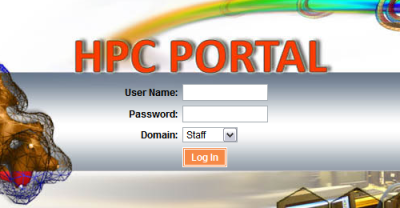
HPC Portal Login Page
Enter your NUSNET userid and password when prompted as shown below:
Application Form
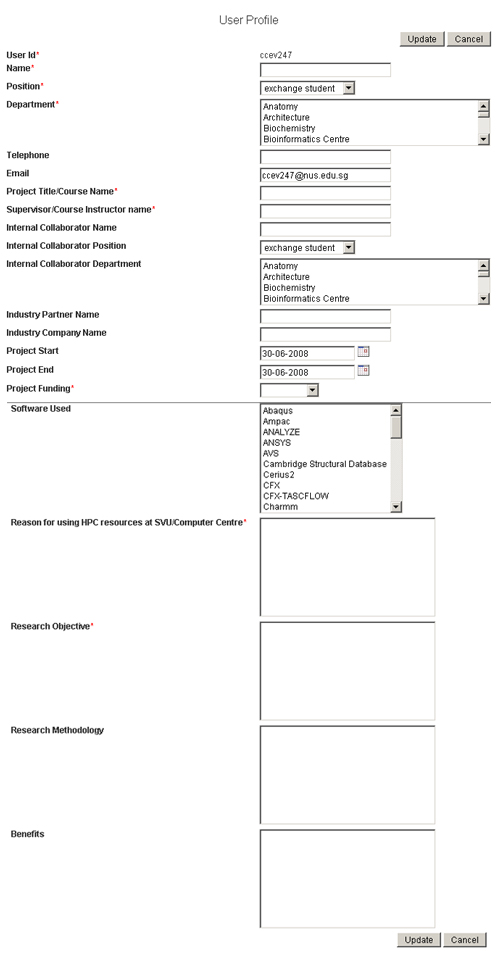
You will be directed to an online account application form (sample below). Please complete all fields (form fields marked with * are mandatory), so that your projects can be shown correctly in our User Project web page.
Completing Your Online Registration
Once you click the "Update" button, your application will be processed. We will create a new account for you in our systems, and you will be able to start using our resources within the same working day.
