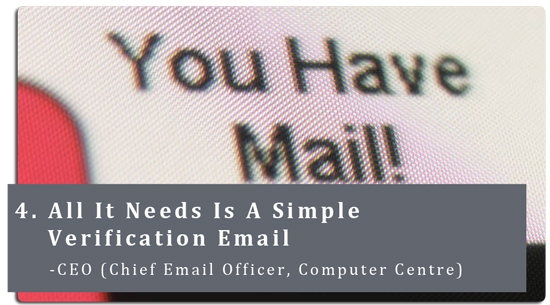
As he worked on his computer, he saw it. It was an email from helpdesk. It informed him that there was a problem with his account. He was asked to click on the link provided, where he was brought to the web site and was asked to enter his ID and password. He did as instructed and went back to his work.
This is what happened in the next few hours. The attacker had gotten hold of his ID and password, used it, logged into his corporate email account, and started sending out tons of spam to the whole world. This choked up the company’s email system where legitimate emails were delayed while the huge volume of spam emails were being processed.
As the email system was sending out tons of spam, many mail servers in the Internet blacklisted the corporate email system, thus blocking all outgoing emails from the company. As a result, all emails from his colleagues in the company failed to be delivered.
This scene is played out almost every other day. Now and then, you may receive an email asking you to reply with your ID and password or requesting you to logon to a web site, to enter your ID and password for “verification”.
Never should you release your password; not to the administrator, not to IT support, nor to anyone else. If there is a need for you to log-in or open a website, you should verify the website address to make sure that it is indeed a genuine one. Attackers disguise the malicious websites to look like legitimate ones. If you hover the mouse over the website link in an email, you will see the actual address it points to. Do not click on the link if you note anything suspicious.
In the example above, the attacker is using the guy’s ID and password to send out more spam, disrupting the email system, causing huge amount of inconvenience. Things can be much worse if the attacker uses his account details and attempt to login to his banking site.
Phishing email and other spam are seen in the mailbox everyday. In the fight against spam, we have continued to work with our service provider to fine-tune and improve our spam capture rate. Recently, an additional layer of anti-spam from a second service provider has been put in to further filter the mails. Different technologies from service providers would help to improve the detection of spam and phishing email coming in to the NUS email system, thereby reducing the number of unwanted emails in your Inbox.
Spam and phishing emails are here to stay. In 2004, Bill Gates boldly declared that “Spam will soon be a thing of the past” (see here). Seven years on, we are still receiving them in our mailbox.
Apart from the cyber world, we see junk mail everywhere. There are still flyers that somehow end up in our very own letter box. As we walk in the mall, we see people handing out flyers. On the windshield of your car, there will be paper stuck under the wiper.
Spam will be part of our lives. We can work towards reducing it but it won’t go away totally. All of us need to do our part in the fight against spam. Ignore spam emails and phishing emails that ask you for your account details such as your ID and password.
Be careful, be suspicious and be safe! |



 RSS FEED