




Managing Existing 2FA
If you wish to modify your 2FA from VIP Self Service Portal, please follow the instructions below:
-
Go to the URL https://2fa.nus.edu.sg.
-
Enter your NUSNET UserID and Password. Click on "I'm not a robot" followed by "Sign In".
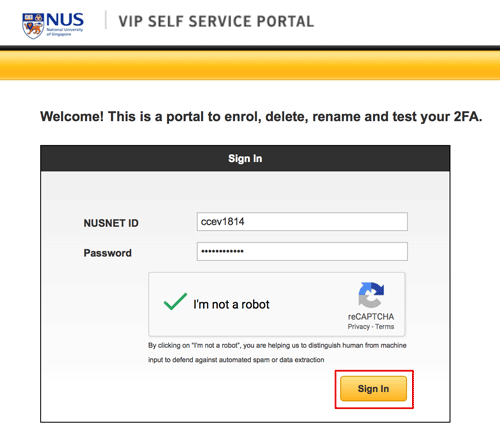
-
Select second authentication option and click on "Continue" button.

-
Enter the security code from your registered credential and click on the "Continue" button.

-
Continue with managing your credential.